Eyeview Digital Ad Platform
Role: Senior Product Designer
Users impacted: 80,000
Team: 1 Lead Product Designer, 1 Senior Product Designer
Eyeview Digital is an ad tech platform that delivers $60m in ad revenue per year. In the role of Senior UX/UI Designer I was responsible for researching and designing solutions to meet business goals.
Tools: Adobe CC, Sketch, Invision
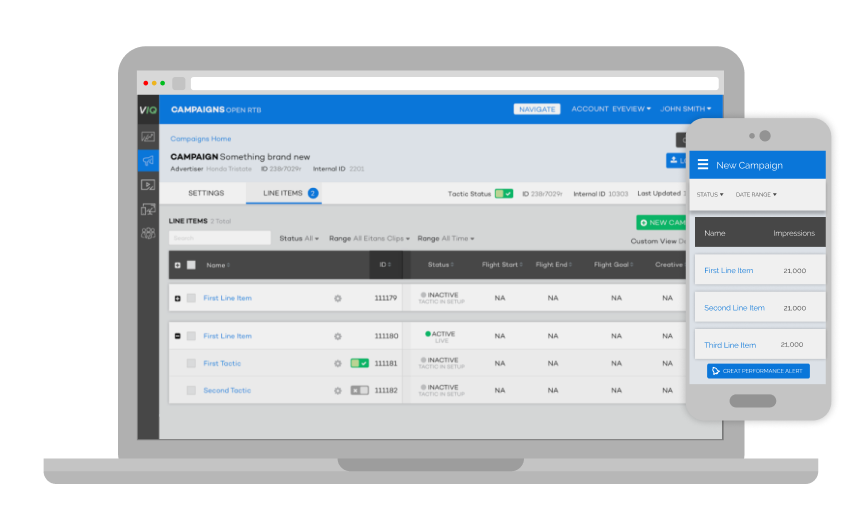
To protect proprietary Eyeview technology, I will discuss the process, with some examples, rather than show the design cycle of the entire project.
Understanding the MVP
I conducted user Interviews and diary studies to get an understanding of current workflows and challenges. Creating personas and experience maps helped the product team understand which challenges would provide the most value for the most users. This ultimately lead to the creation of the MVP that would serve as a foundation for the entire platform while providing Campaign Management an immediately improved workflow.
The MVP
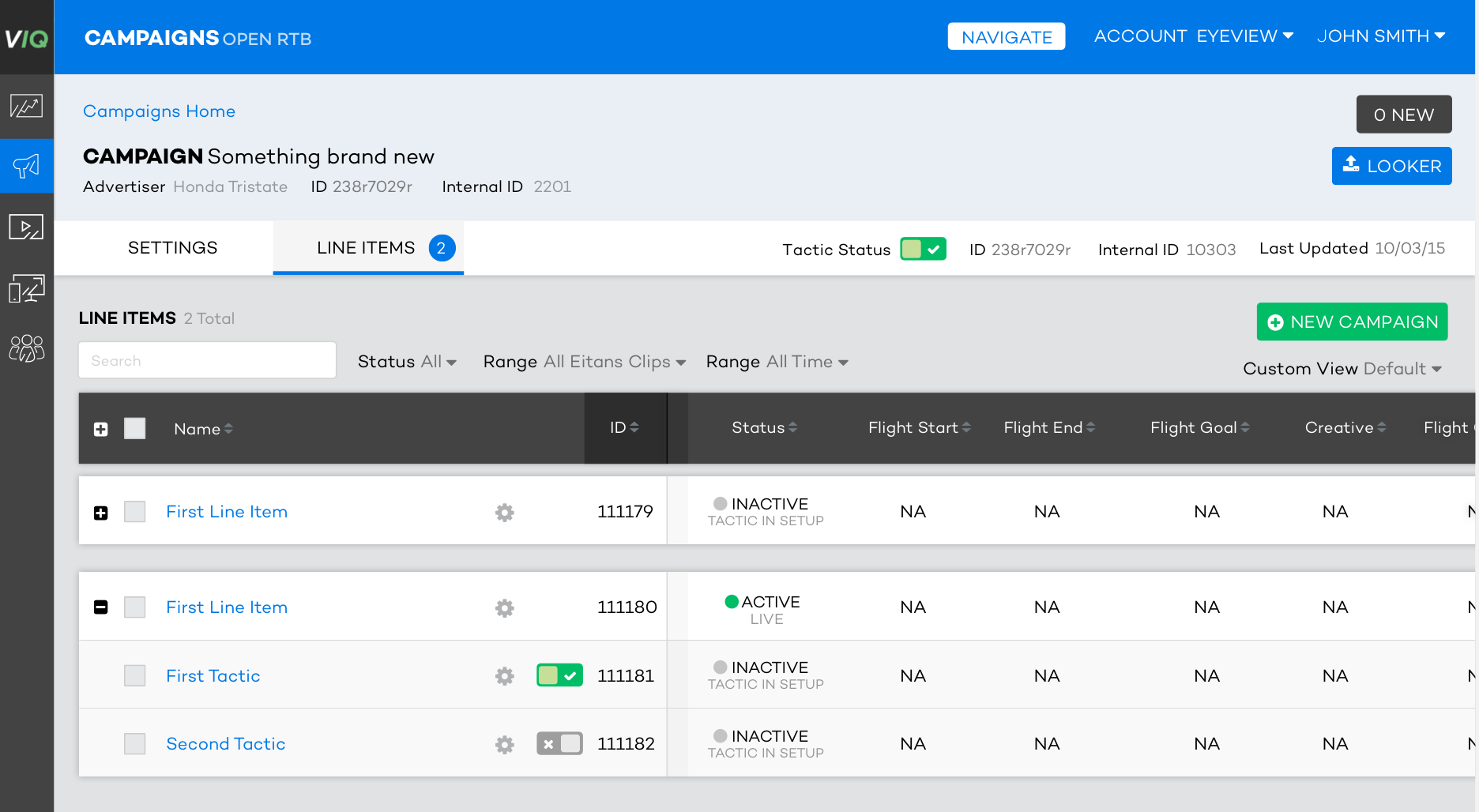
A number of Eyeview issues resulted from the fact that most tasks were completed by emailing a spreadsheet from one team to another. This resulted in user error and lost communications. The first step I implemented to address was to create a unified place for data to live - a flexible table. Key features of the table included filters that allowed for greater flexibility for specific tasks and frozen panes so that the table could contain many columns without adding layers of confusion.
UI Style Guide Creation
As the platform grew, it was clear that defining some resuable patterns and creating an overarching design system would reduce the amount of design work required to get features into development. I created a UI guide which helped to maintain consistency across the platform and facilitated quick movement of solutions from rough ideas to medium high-fidelity mocks. The gained back time was often spent creating prototypes of new features.
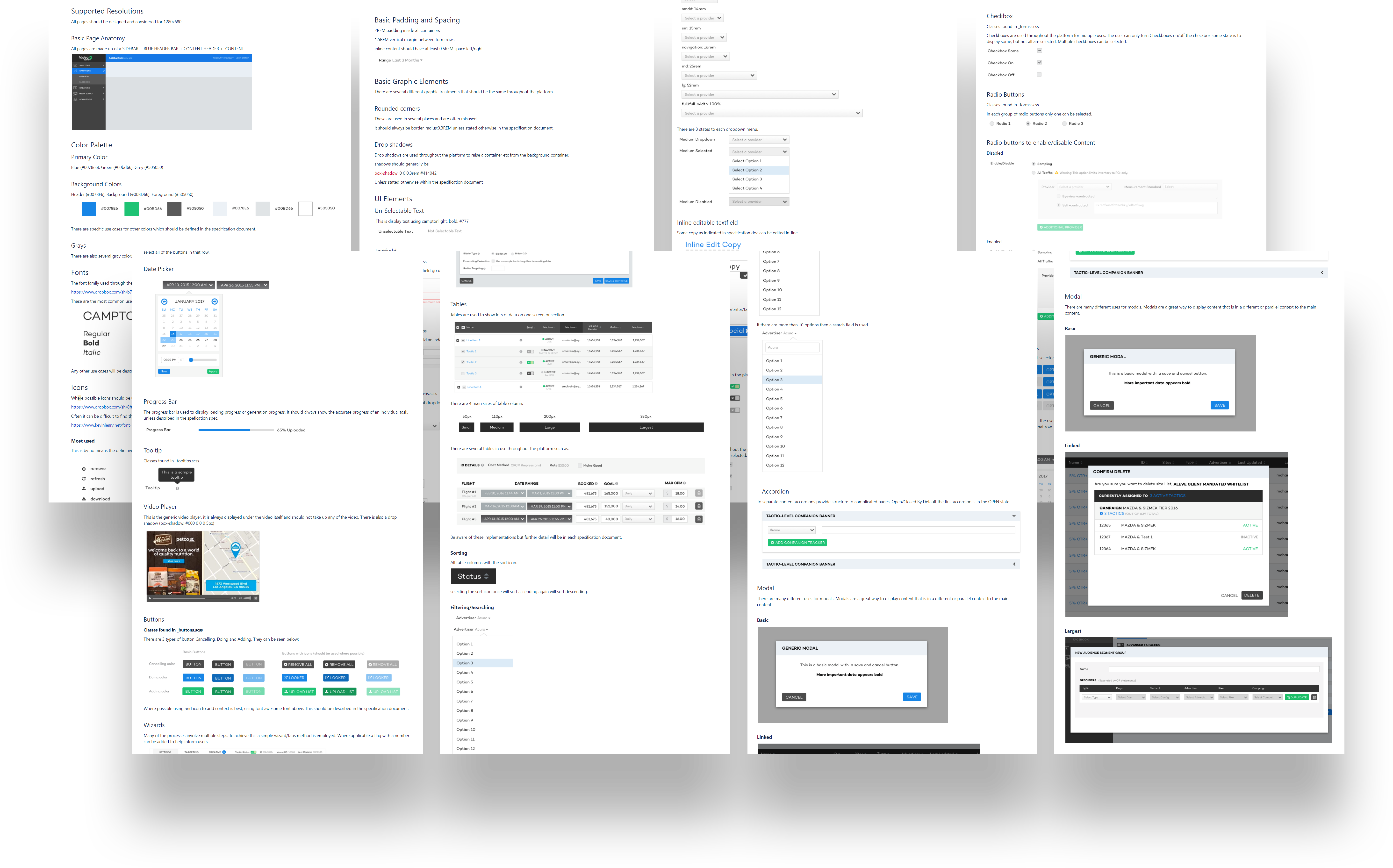
Creating a flexible library based on the UI guidelines and the use of simple prototypes enabed us to iterate ideas quickly. The developement of this visual library helped us focus more on solutions and less on the look and feel of the UI element.
Adding Features to the MVP
As the platform grew, improvements were added to the platform like a custom date picker further added, further improving the usability of the table. This completely eliminating the use of external spreadsheets.
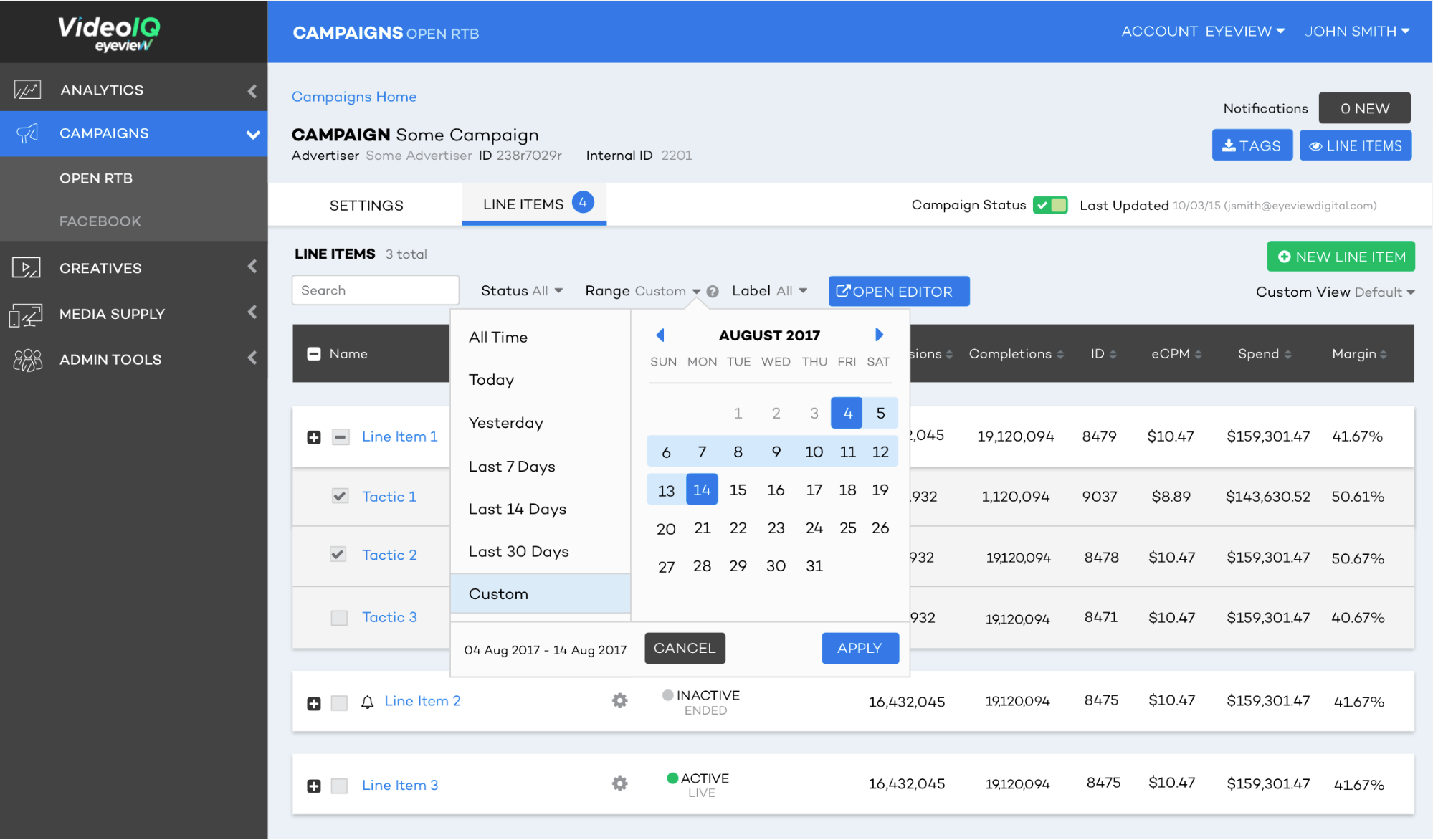
The Campaign management team finally had a platform where they could complete their basic tasks in one simple workflow. If a campaign had 30 or more tactics then the Campaign Manager would need to make a change 30 times. To resolve this I design a bulk editing tool that would fit into their current workflow and was now usable across teams.
Editing settings at scale
The bulk editing tool solution gave us the ability to add the most commonly used features. In my opinion this should become a bulk creation tool to reduce the burden from the operational team.
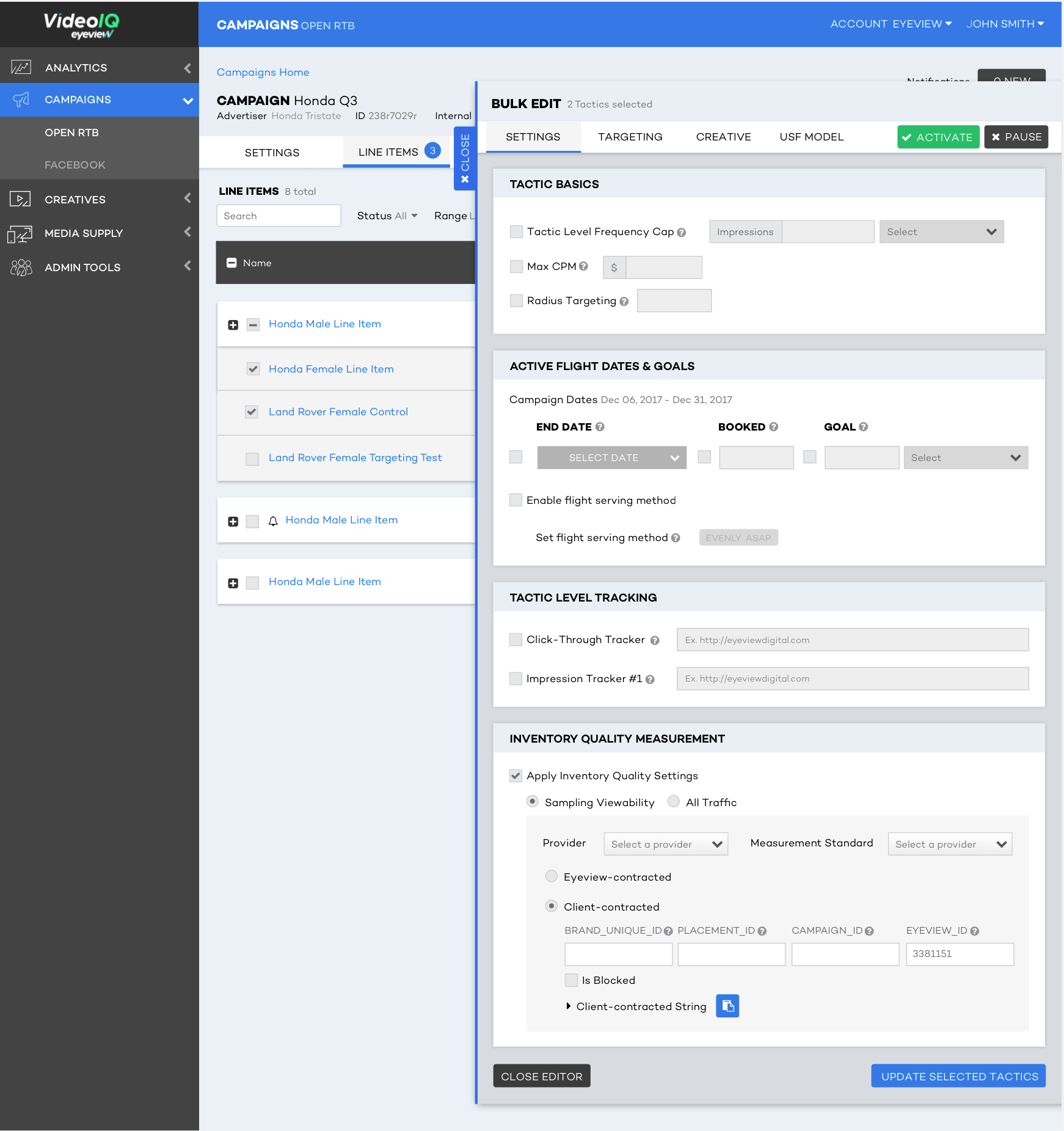
Adding the editing tool provided an opportunity to bring other teams into the unified platform, where they could manage their own workflows. Initially, the bulk editor housed just a handful of the most used features; as features were added to the platform many of them were incorporated into the tool. This bulk editor became a huge part of how Campaign Managers could manage increasingly complex campaigns at scale, while also reducing the margin for error.
Expanding the platform to other user groups
One of the major pain points for quicker turn arounds was the amount of time it took to create sample pages to send to clients. A critical part of the approval process, this was also a major bottle neck. Creating a quick and easy feature to create these pages would dramatically reduce workload in this portion of the creative team process.
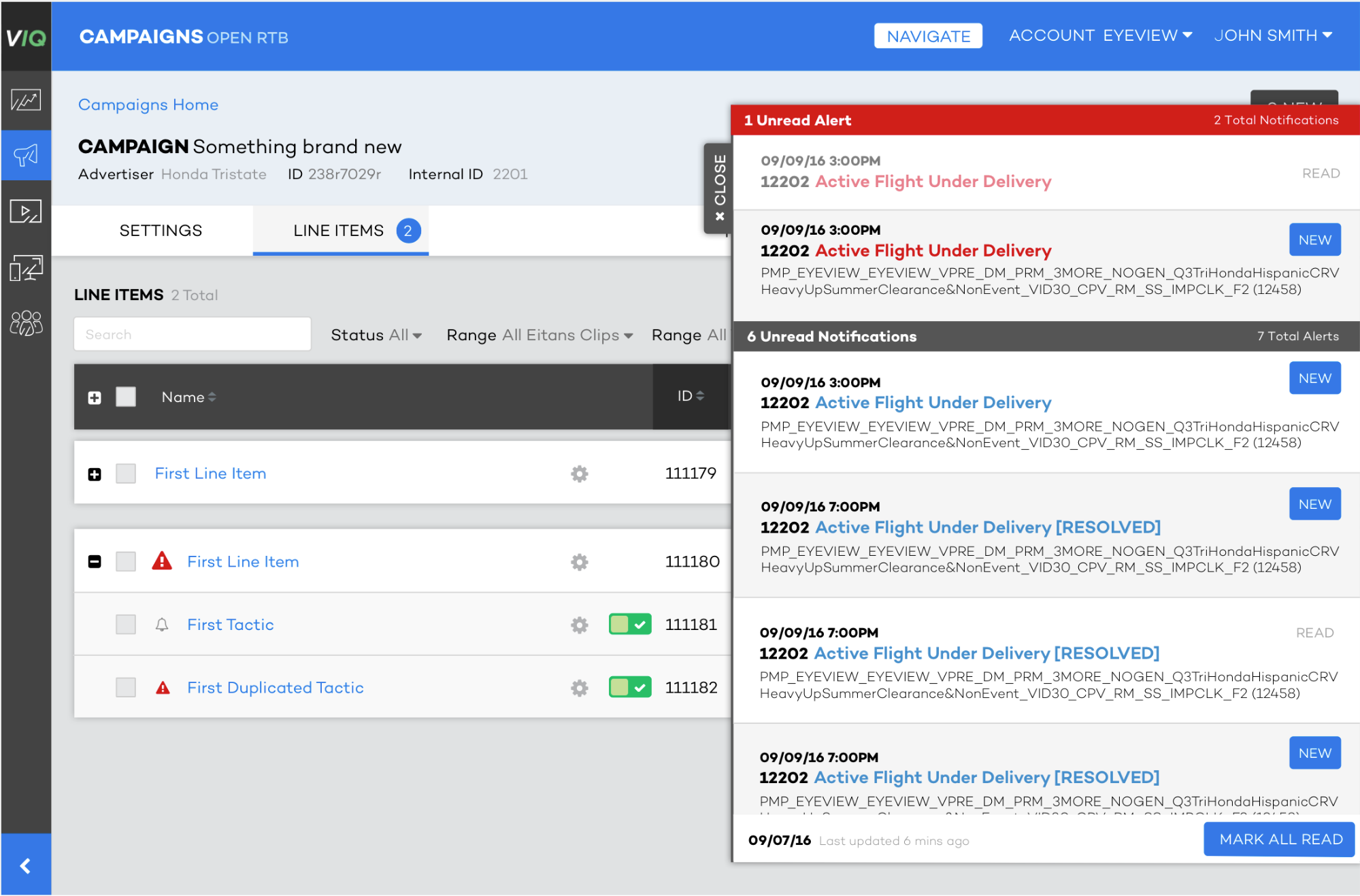
During this time the complexity of Eyeview Campaigns increased and became more personalized, more vital operations were being conducted within the platform. It became aparent that there was a need to notify users of issues related to their workflows in a timely manner. I created a simple notification tool that alerted users to specific tasks in their workflow and offered actions in response.
As campaigns become more complex and more stakeholders requiring to see different levels of data and campaign health work started on creating a simple dashboard that would provide value to multiple user groups. This meant creating a modular card based set of UI elements that would allow for different views based on our data science teams available data. This would allow CMs and Team Leaders to easily see campaign health regardless of the KPI's and metrics.
Building tools for external users
Having this foundation allowed Eyeview to begin expanding the platform to other teams. Removing the need to use 3rd party plug-ins not only improved the work flow and reduced the room for human error, this also massively reduced the fees and costs associated with these 3rd party tools.

Other user groups across the business began to use the tool to complete simple tasks like create demo pages and send them to clients without leaving a string of emails and missed slack messages. In a more operational sense it was also just much easier to create these demo pages, even with multiple rounds of revision.
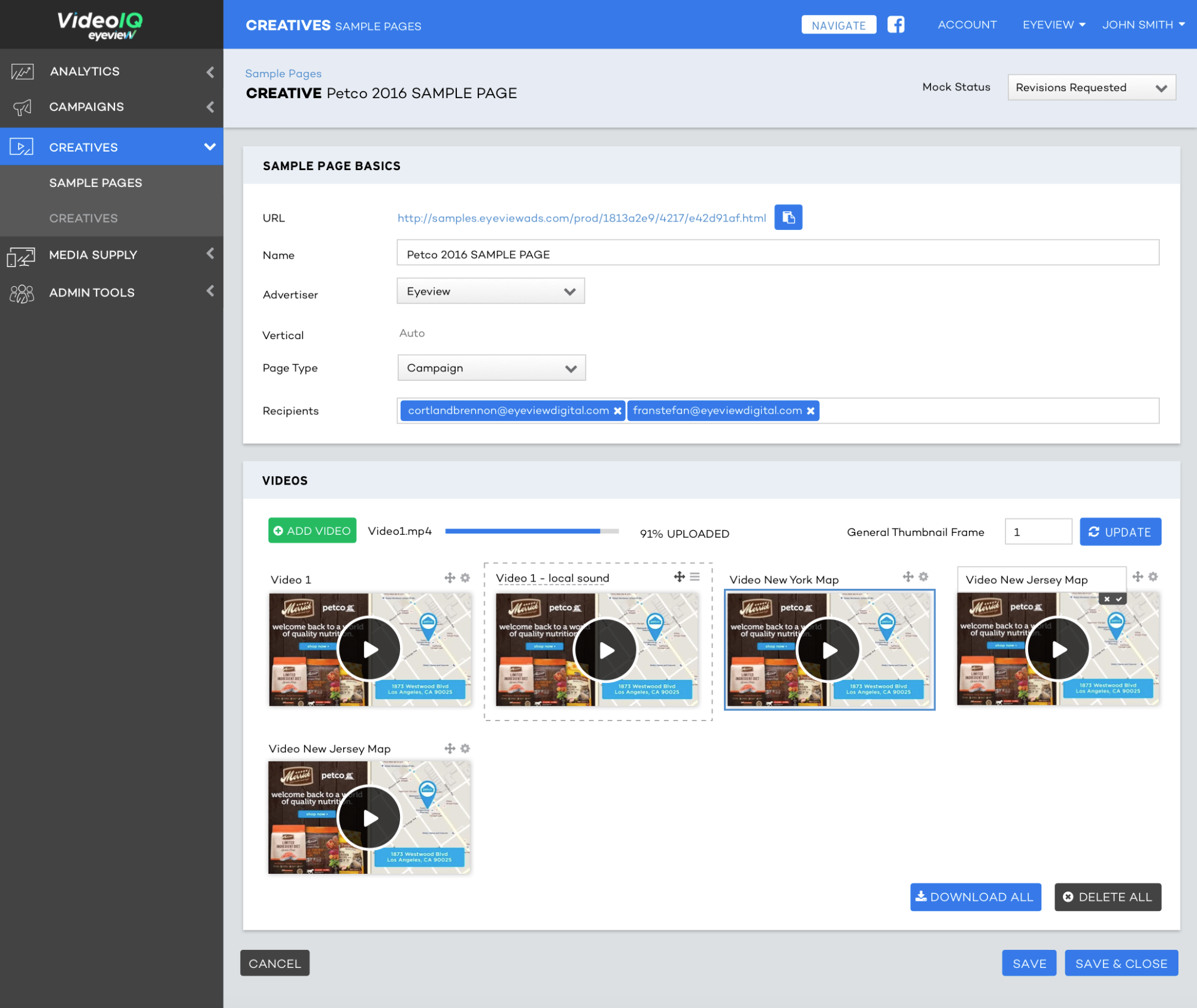
This immediately reduced the amount of time it took from initial sign-off on creative to approval by 48 hours, this meant that projects had more time for Quality Assurance and reduce errors.
Long-term impact
In all, my team introduced more than 450 different features that consolodated all of eyeviews operational workflows into one platform. This resulted in reduced user-error, better internal communication and greater efficiency, thus enabling Eyeview to operate more competitively at scale. Eyeview now manages 300% more campaigns that are more complicated with the same number of employees.
What did I learn?
This role was particularly tough since the business processes were incredibly complicated. Becoming an expert in Campaign Setup and other key business processes was a key factor in my success in this role. Working in such a large team often meant that development resources were often being prioritized to other features or teams and creating features that would provide the solution for the users while being able to fit into the development teams pipeline. Often this role involved alot of product mangagement, I had a fantastic relationship with users and would say that this was an important part of why so many of the features I released were so successful. I also gained alot of experience just releasing features and going through the process of creating new features.