Figma Organization
Role: Senior Product Designer
Users impacted: 80,000
Team: 1 Lead Product Designer, 1 Senior Product Designer
Problem
There were 10 designers struggling with file organization, version control, and tracking changes across multiple projects.
Solution
Create and align a standardized Figma structure to improve collaboration and efficiency.
Context
Interviews with Lead Designers revealed key pain points: no standardized naming conventions, difficulty locating files, unclear version history, and poor visibility into project status.
Figma File
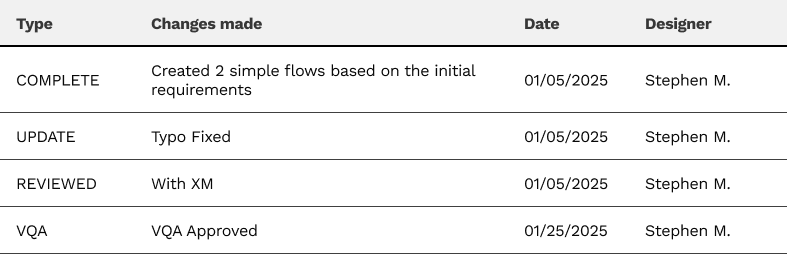
We created a few principles that would allow for a consistent and scalable Figma structure, that is easy for Leads to view and understand.
- Created a simple status system in the layers panel
- Every story has a page, so that content is easier to find for Developers
- Feedback and changes are tracked in the Figma file so that leads can see what was completed
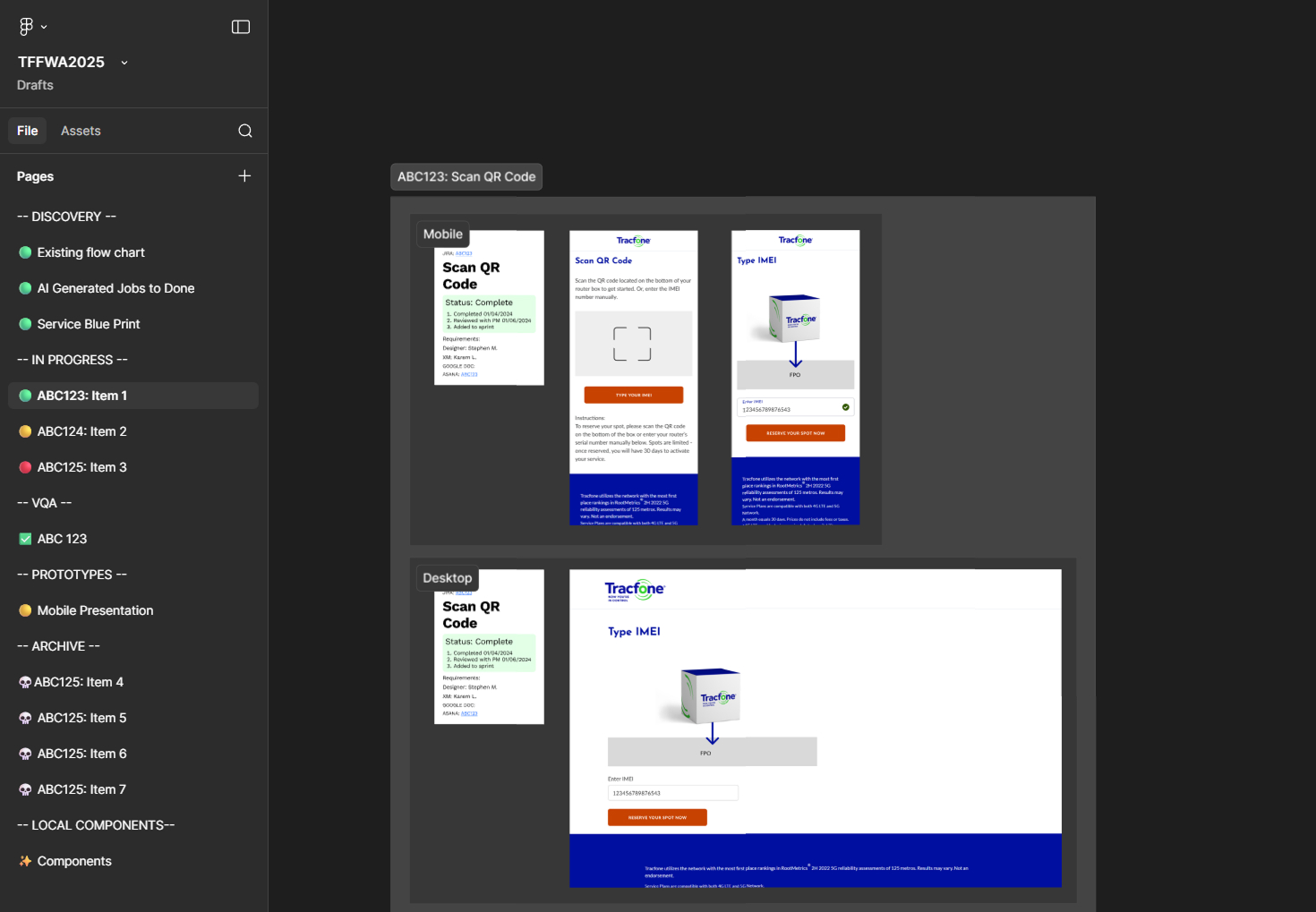
Simple Feedback Log
To allow Lead designer to see exactly what we're working on and what has been completed. I quickly implemented this on some projects that were in active sprints so that leads could have real-time visibility into progress.
- Type: type of update
- Description: brief description of the update
- Date: date of the update
- Designer: name of the designer who made the update